Videos
In the videos typical application possibilities of easymap are explained to you on the basis of simple examples.
The videos are sorted thematically as follows:
- Working with easymap: from import to export, all important topics are covered.
- Analyze: Everything you need to know about analyses
- Planning: Territory planning and organization topics
Note: You can also view all videos with subtitles if you don't have speakers. To do so, simply click this button  . You can also switch the subtitles to English via the Properties
  .
.
Structure of the video series
Some of the videos are part of a video series that shows you the most important steps chronologically, from data import to reporting. You can see the videos of this series in the diagram below. Video titles listed in white boxes refer to the EasyMap DistrictManager Edition. The remaining videos are valid for the Standard Edition as well as for the DistrictManager Edition. Click on the corresponding box in the diagram to access the video directly.
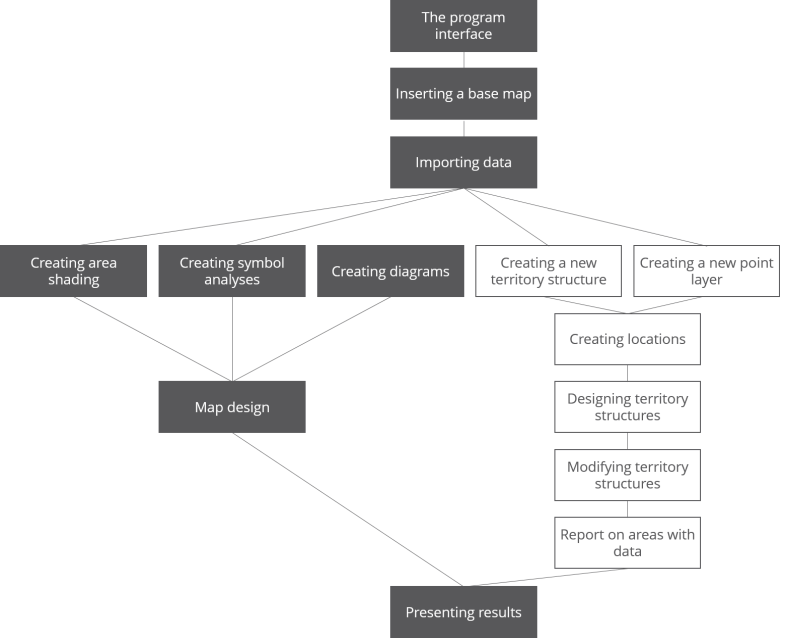
In addition to the exciting video series, you will find further videos on the corresponding subpages.
