Territory and location optimization using accesibility
With licensing the easymap office pro version you gain access to more settings options for your optimizations.
You can now run your area or location optimizations based on not only linear distance but also travel time and travel distance.
This enables you to analyse and optimise your locations and areas much more realistically.
Adjust optimizations to accessibilities
Territory Optimization
In the dialog box for the area optimization you will find in the last step the possibility to change the distance calculation to fastest travel time or shortest travel distance. How to create an area optimization can be found here.
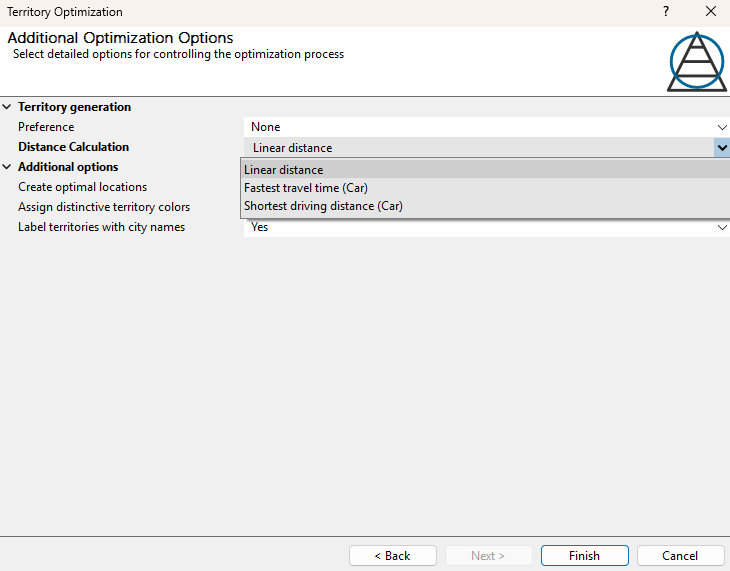
Note: The available options depend on the licence you have purchased. This feature is only available if you have the extension easymap office pro or easymap professional.
Location Optimization
In the dialog box for the location optimization you will find in the last step the possibility to change the distance calculation to fastest travel time or shortest travel distance. How to create an location optimization can be found here.
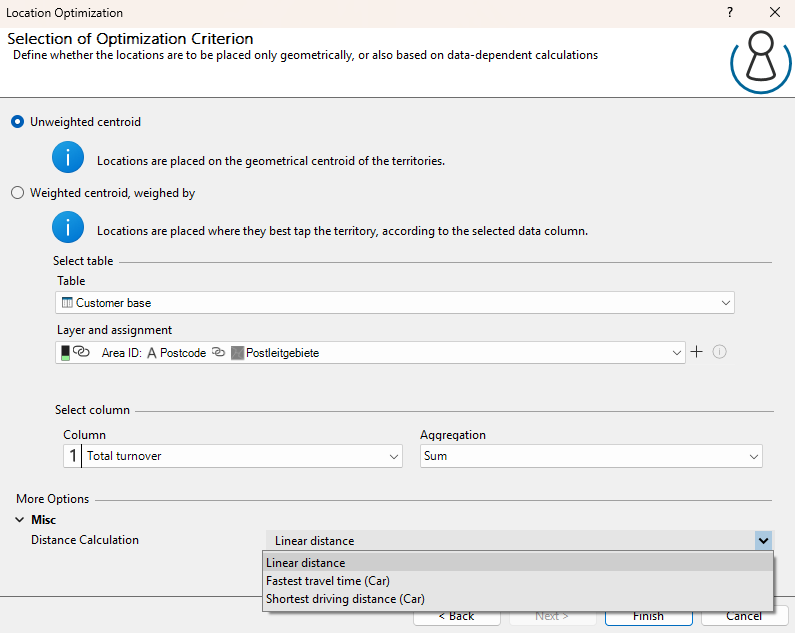
Note: The available options depend on the licence you have purchased. This feature is only available if you have the extension easymap office pro or easymap professional.
