ISO code for Euromaps
In the following we show you the preparation of your data for a representation on the map "Europe, postal". Customer data is normally available at postal code level (delivery areas). The base map Europe, postal does not contain the finest area level with the postal code regions, but the grouping of the delivery areas to regions.
As you know, EasyMap requires a unique area number to correctly assign your data records to the postal code regions on the map. The postcode regional map of Europe uses an area number consisting of the 3-digit ISO country code and the first two digits of the respective postcode for unambiguous assignment.
In order for you to be able to needle out your customers on this map, the postal codes must therefore be shortened to the postal code region and combined with the ISO country code for unique identification, so that the respective combination of ISO country code and postal code region number appears in a column of your data table. You can find out how to obtain this number here.
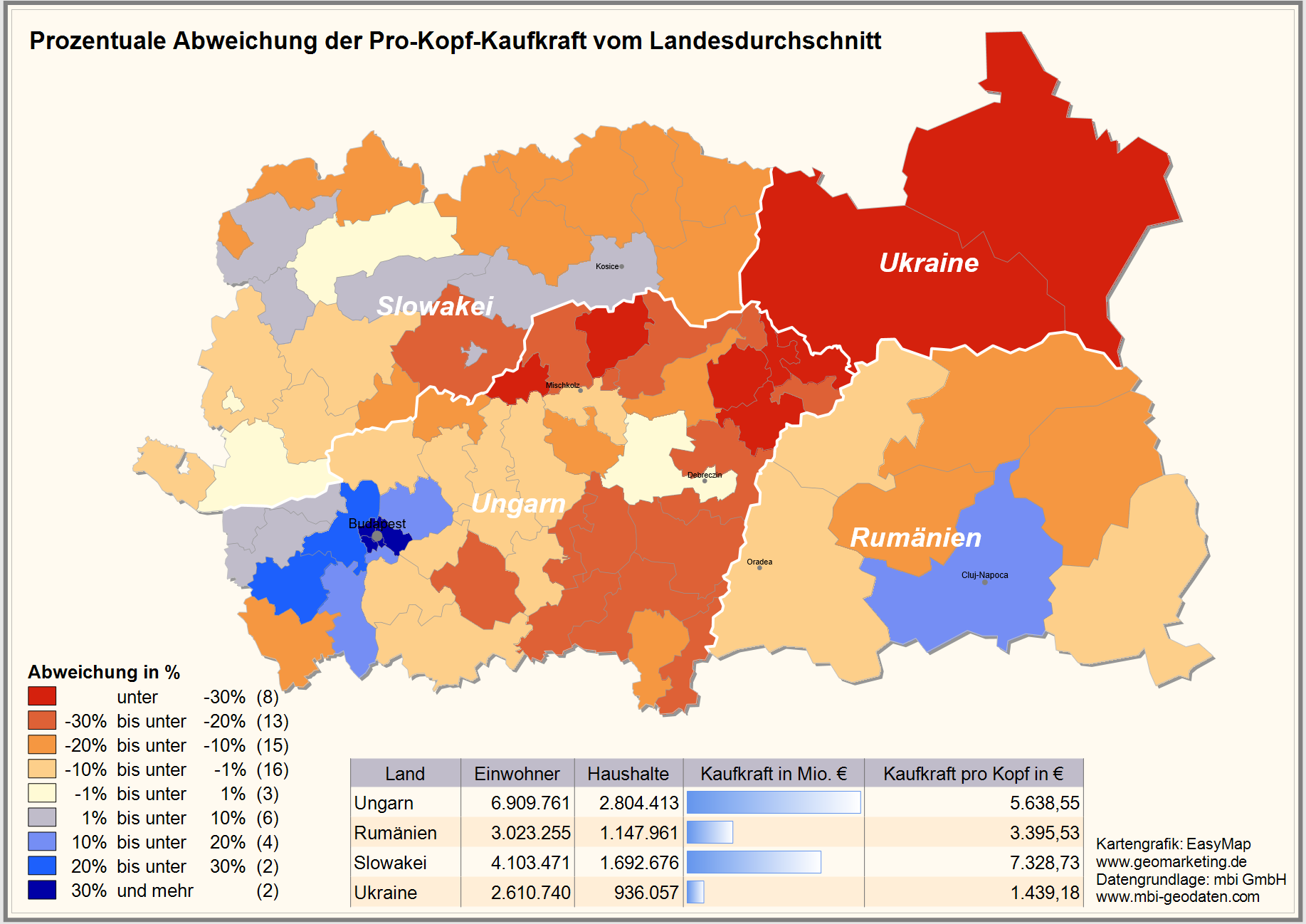
 1. determination of the ISO country code
The ISO country code is an international standard for the coding of individual countries and includes country abbreviations in addition to the code. For the base map in EasyMap you need the three-digit numeric code in Arabic numerals. You can easily look it up in the EasyMap. Therefore please select from the control window base maps the map Europe, administrative and the layer States. In the control window Content, open the context menu for the layer State Areas with a right mouse click and select the menu item Display Table. In the Number column you can now read the ISO country code for your data.
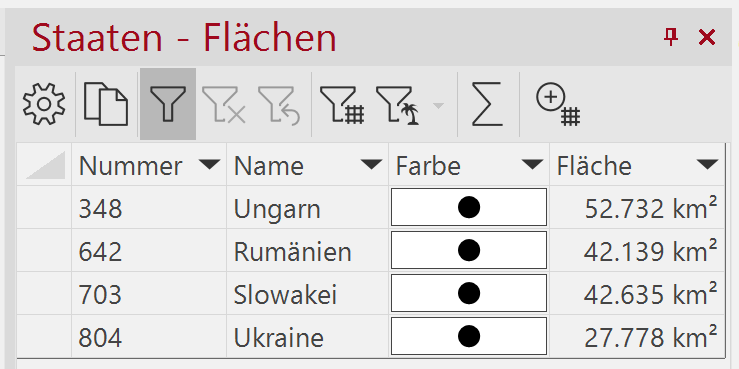
Of course, you can also display the geographical tables for the maps Europe, postal or Europe, administrative to view the numbers used in EasyMap.
Another possibility to directly see all information about the postal code region numbers and ISO codes is to find in our Excel tables for the base maps. You will find them in the directory of all digital maps (...\ProgrammData\Lutum+Tappert\Maps).
2. data processing in Excel
The customer data can be provided relatively fast and simply in Excel with the appropriate number for the base map. The function =LINKS() can be used to generate sections from the postal code area number.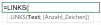
Since most postal code regions in Europe have 2 digits, you need an intermediate zero to reach the uniform length of 6 digits when combining the two subareas ISO country code and postal code region number. Exceptions to the described procedure are e.g. Belarus or the United Kingdom (see below). The second and last formula you use in Excel is =VERKETTEN(). Here the 3 parts, ISO country code, intermediate zero and postal code region number are merged. 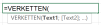
The complete calculation can be seen in the following figure. The quotation marks at the beginning of the formula in the columns "Shorten to PLR" and "Chain" are not part of the calculation, but only serve to make the column visible.
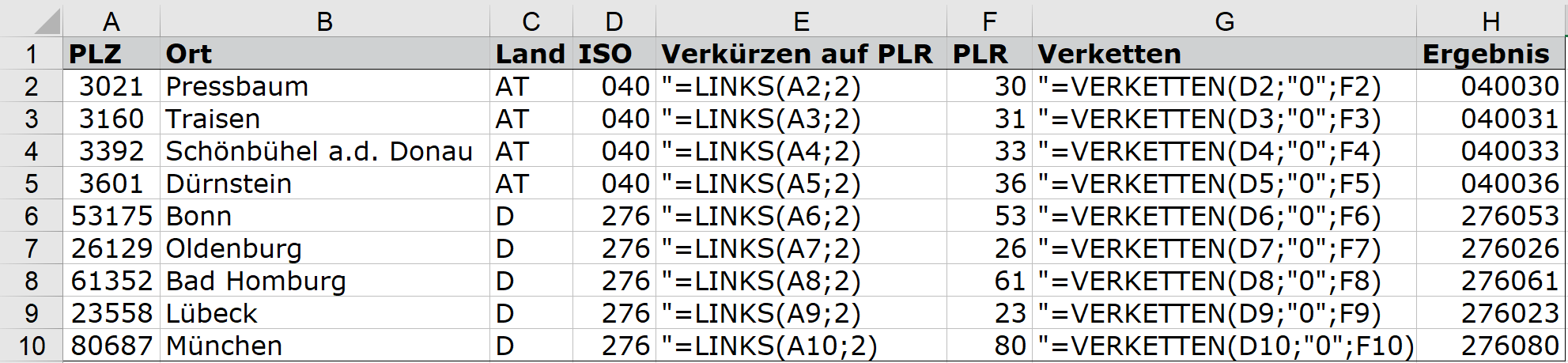
Now the table is prepared for a graphical representation on the Europe, postal map and can be imported into EasyMap or linked.
3. special case United Kingdom
As alphanumeric postcodes are used in the United Kingdom, the procedure described above cannot be applied one-to-one to that State. The procedure is explained below.
You need a reference ID for the display, which is derived from the first or the first two letters of the postal code. This reference ID can be found in the table "Europa Postleitregionen1501.xls", spreadsheet "Postleitregionen" (file name may vary depending on time), which is installed in the same path as the base maps. If you filter the column "ISO3166-1" by the value "826", you will see all region numbers for the United Kingdom, which are used as reference ID in the map "Europe, postal". In the following we will show you how you can automatically determine this region number from the British postal code using calculated columns in EasyMap. This procedure is particularly useful if you need to assign a larger number of British postal codes to the reference ID.
Import your table with the British postal codes into EasyMap. Then select the button fx and the entry Calculated column in the table view. Insert the following formula into the formula area on the right to determine the first (two) letters of the postal code. For the red areas in the formula, you must insert the column in your table that contains the postal code:
iif(Wie([Postcode],1,1), "#"),Links([Postcode],1),Links([Postcode],2)))
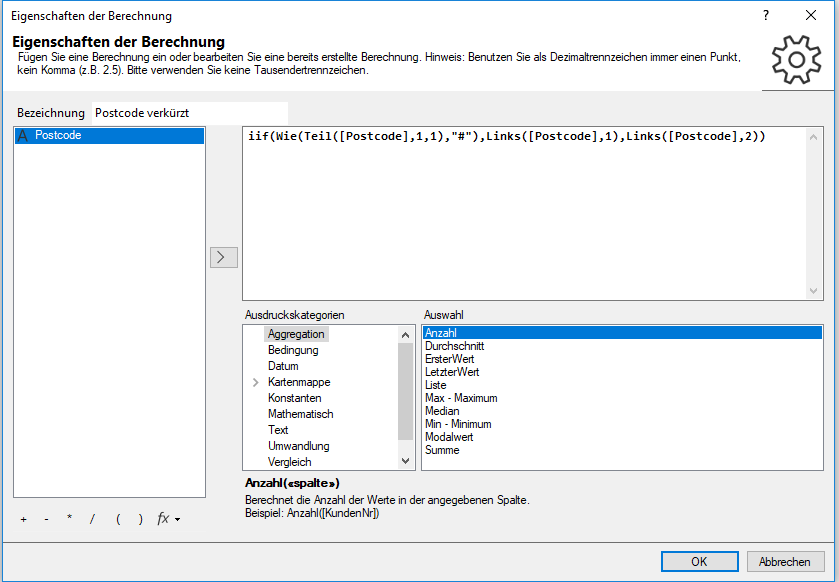
Enter a meaningful name, e.g. "Postcode shortened". Then click OK.
In the next step, please import the table "Europe postal code regions1501.xls", table sheet "Postal code regions".
Then open your table again, which contains the abbreviated postcodes. Select the button fx and the entry Look up by reference table. As key column from the source table select the shortened postcode. As reference table select the previously imported table ("Europe postal code regions1501.xls", table sheet "postal code regions"). The matching key column is the "Map text" column (it contains the abbreviated postcodes for the United Kingdom). The "region number" is to be returned as value column .
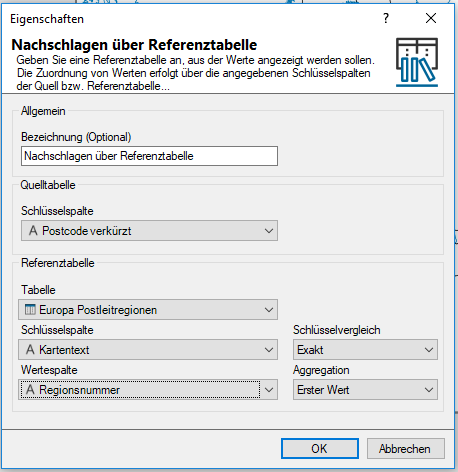
Click OK. The newly calculated column now contains the region number required for use in EasyMap.
